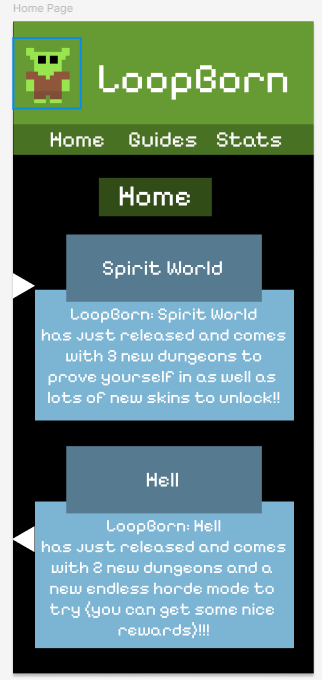
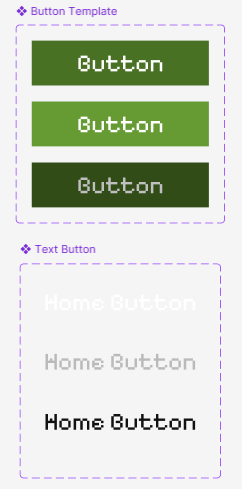
I started by choosing the resolution I was going to go for. This was an easy choice as I just went with my phones resolution, which is 375 by 812 pixels. After deciding this, I moved on to start making the home page. I created some news and laid out where all of the buttons would go. Then I created the guides page and a single guide the player will be able to click on. I then learned how to use buttons, which turned out to be quite easy, so I made 2 button pre-sets I can use throughout the project.
User Flow Considerations
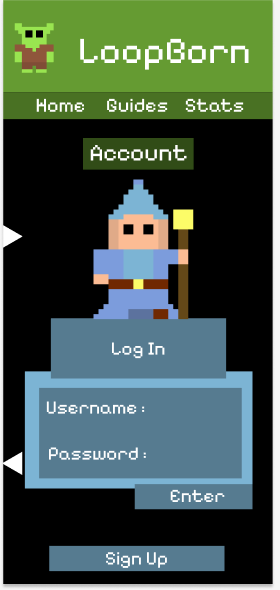
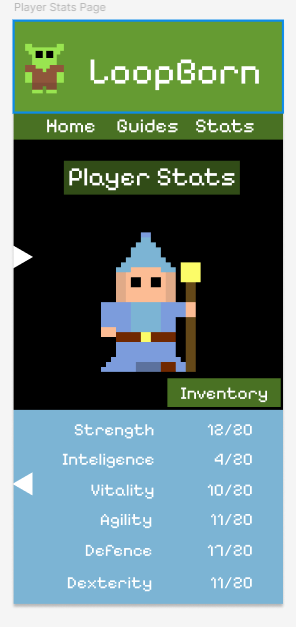
Some user flow considerations I made include when making the accounts page I decided to make the area to type you username and password low down on the screen to make it easy to click so the flow is good for the user. Another consideration was with the inventory button on the player stats page, which I placed in the middle of the screen to make it easy to access.
Adding the sidebar
I added a sidebar in a similar way to how the buttons work, but instead of changing to another page it makes another page appear over the current one with an animation to make it appear smoothly. After adding the sidebar I made all of the buttons on it work and then finished doing the rest of the pages by adding content to them. After finishing up the content the mobile part of the app was complete, so I moved on to adapting it to be used as a PC app as well.
https://www.figma.com/design/hS5neSq51dPps5hSFFzH9M/Game-Companion-App?node-id=0-1&t=PAMuhQ0HAyIsJeYl-1